Shared inbox
One inbox for everything customers write, with an owner on every conversation
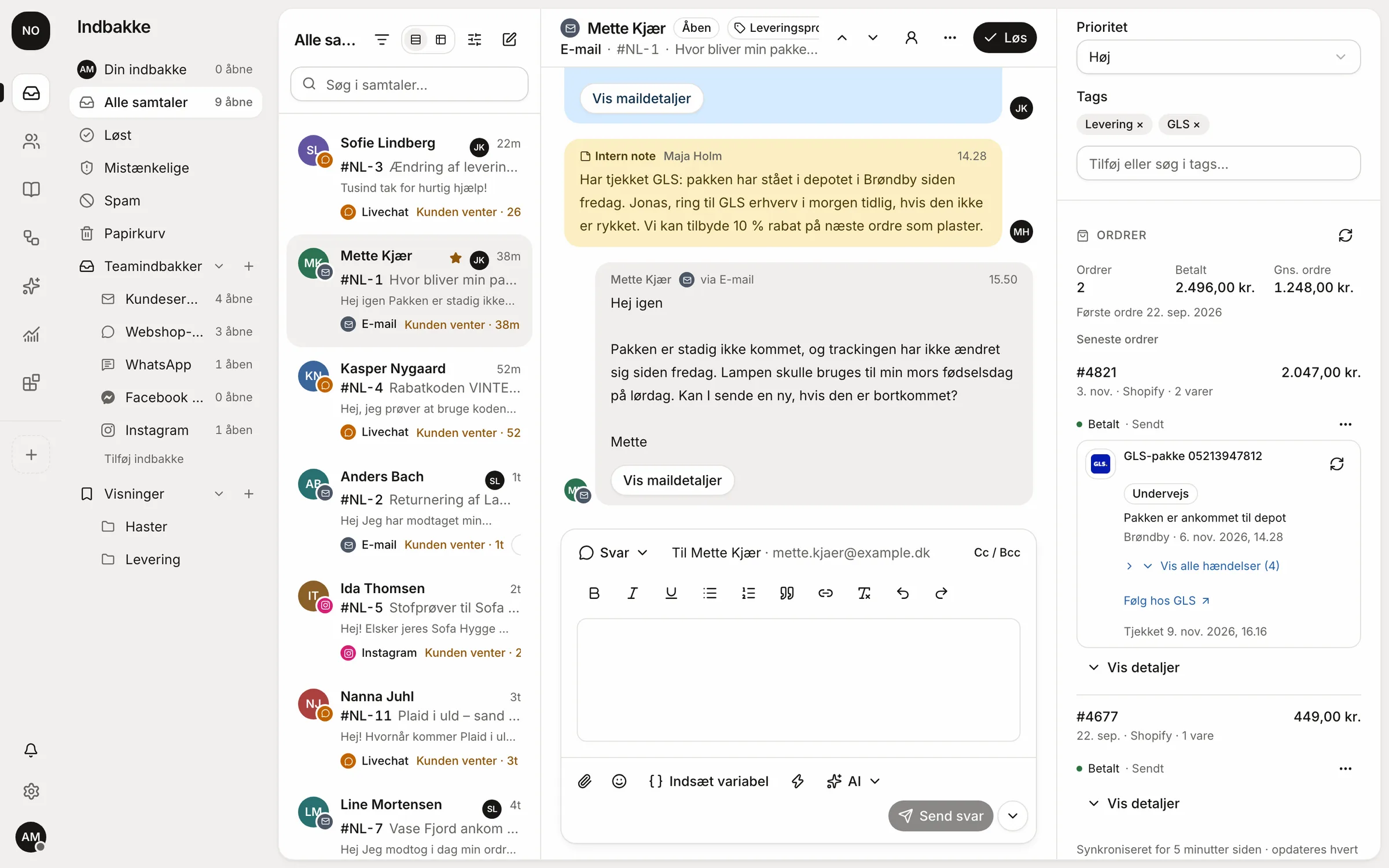
Email, chat and messages become conversations with an owner, a status and a history. The whole team sees the same thing, and nobody answers twice.
 WhatsApp
 Messenger
 Instagram
 Telegram
 Trustpilot
 Amazon
Collaboration
Talk about the case in the case.
Internal notes sit in the conversation on a yellow background, so nobody thinks the customer can see them. Mention a colleague with @ and they get notified.
- @mentions that notify your colleague
- See when a colleague is typing in the same conversation
- Side conversations by email with the warehouse or supplier, without the customer seeing them
Keyboard
All day without touching the mouse.
Jump between conversations, reply, write a note and resolve the case with one key. Shortcuts can be changed or turned off for the whole workspace.
- Next conversationj
- Previous conversationk
- Replyr
- Internal noten
- Assign to mea
- Resolve or reopene
- Search/
- Go to the inboxgtheni
A Monday morning in customer service.
Without a shared inbox
- The info@ mailbox is open on three computers, and nobody knows who answered.
- Instagram messages sit on the owner's phone.
- Questions for the warehouse go over Messenger and get forgotten.
- The customer writes again and gets two different answers.
With Respoe
- Every conversation has one owner, and the list shows who has it.
- Instagram and WhatsApp sit in the same list as email.
- The warehouse gets an internal note with @ and answers in the case.
- The customer's new email lands in the same conversation with the whole history.
The small things that save time every day.
Snooze
Put a conversation away until tomorrow. It comes back at the time you choose.
Tags and views
Nested tags and saved views such as “Urgent” and “Delivery”.
Saved replies and macros
With the customer's name and order number filled in. If a value is missing, the reply isn't sent.
Merge and split
Merge two conversations from the same customer, or split a thread about two things.
Every plan includes the shared inbox. See pricing
Questions and answers
Which channels can come into the inbox?
Email (Gmail, Microsoft 365 or forwarding), the chat on your website, WhatsApp and Telegram. Messenger, Instagram, Amazon, eBay and Trustpilot are built and waiting for the providers' approval.
What happens if two people answer the same conversation?
You can see when a colleague is typing. If a reply goes stale because someone else answered meanwhile, Respoe pauses it and keeps your draft. You decide whether that is allowed, gives a warning or is blocked.
Can we change the keyboard shortcuts?
Yes. There are more than 20 shortcuts, and an admin can change them or turn them off for the whole workspace. Press ? in Respoe to see them.
Can we schedule a reply or undo it?
Yes. Email replies can be scheduled, and a reply can be undone for a short moment after you press send.
Can we split the inbox into teams?
Yes. Create team inboxes per channel, brand or task, give access per inbox, and save your own views such as “Urgent” or “Delivery”.
Try Respoe free with your own inbox for 14 days
Connect your email and webshop, invite the team and answer from Respoe the same day.
- No card needed
- Priced per team, not per seat
- Danish support