Website chat
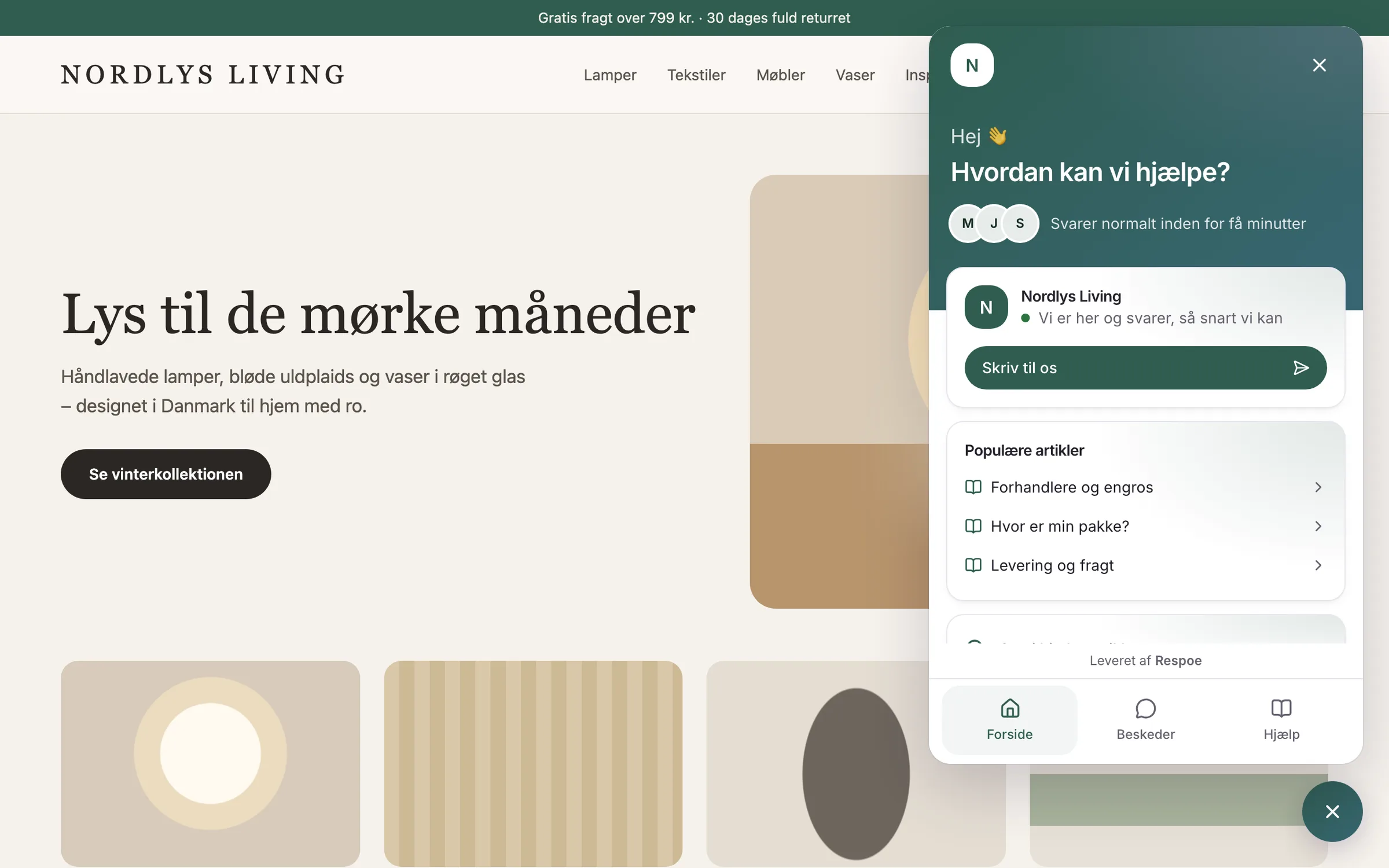
A website chat that looks like your shop and knows the customer's orders
Add the chat with one line of code or our module for WordPress and PrestaShop. Signed-in customers are recognised and can see their earlier conversations.
Installation
Five minutes. Three ways.
One line of code
Before </body> or through Google Tag Manager.
<script src="https://app.respoe.com/widget.js"
  data-key="pk_…" defer></script>
Plugin for WordPress and WooCommerce
Download the ZIP in Respoe, install it, and signed-in customers are recognised.

Module for PrestaShop
Upload the module under Modules. The key is filled in for you.
Design
Your colours, your words.
Choose colours, logo and launcher size, and write greetings in Danish and English. See the change in the preview before it goes live.
- Popular help articles right in the chat
- Proactive messages that greet the customer
- A pre-chat form if you want name and email first
- Block visitors who misuse the chat
Recognised customers
Don't ask for the order number. You already have it.
Anonymous visitor
Where is my parcel?
What's your order number and email?
Uh, one moment…
Only sees their own conversation in this browser.
Signed in to the webshop
Where is my parcel?
Hi Mette. Order #4821 is at the GLS parcel shop on Klostergade and can be picked up today.
The team sees the orders right away, and the customer sees earlier conversations on every device.
Opening hours
Honest about when you answer.
Out of hours the chat shows your text and asks for an email. Five minutes after a chat, the customer gets the conversation by email so nothing is lost.
Open: “We usually reply in minutes”
Closed: text + email for a reply
Questions and answers
How do we add the chat?
Paste one line of code before </body>, add it through your tag manager, or download the module for WordPress/WooCommerce or PrestaShop under Chat in Respoe. The key is filled in for you.
Does the chat set cookies on our webshop?
No. The chat runs in its own frame and remembers the conversation in the browser's storage inside that frame. It sets no cookies on your domain.
How does the chat recognise signed-in customers?
The webshop signs the customer's identity so Respoe knows it's the right customer. The customer then sees earlier conversations across devices, and the team sees the orders right away. An email typed into the chat is never used as identity.
What happens out of hours?
The chat shows your out-of-hours text and asks for the customer's email so you can answer later. Holidays can be added in advance.
Can customers send images in the chat?
Not in the current chat. If the customer has a photo of a damaged item, ask for it by email, where attachments are virus-scanned.
Try Respoe free with your own inbox for 14 days
Connect your email and webshop, invite the team and answer from Respoe the same day.
- No card needed
- Priced per team, not per seat
- Danish support