Reports
Reports with numbers you can act on, not numbers for show
Track reply times, solved conversations and satisfaction per channel, person and tag. Export to CSV when management asks.
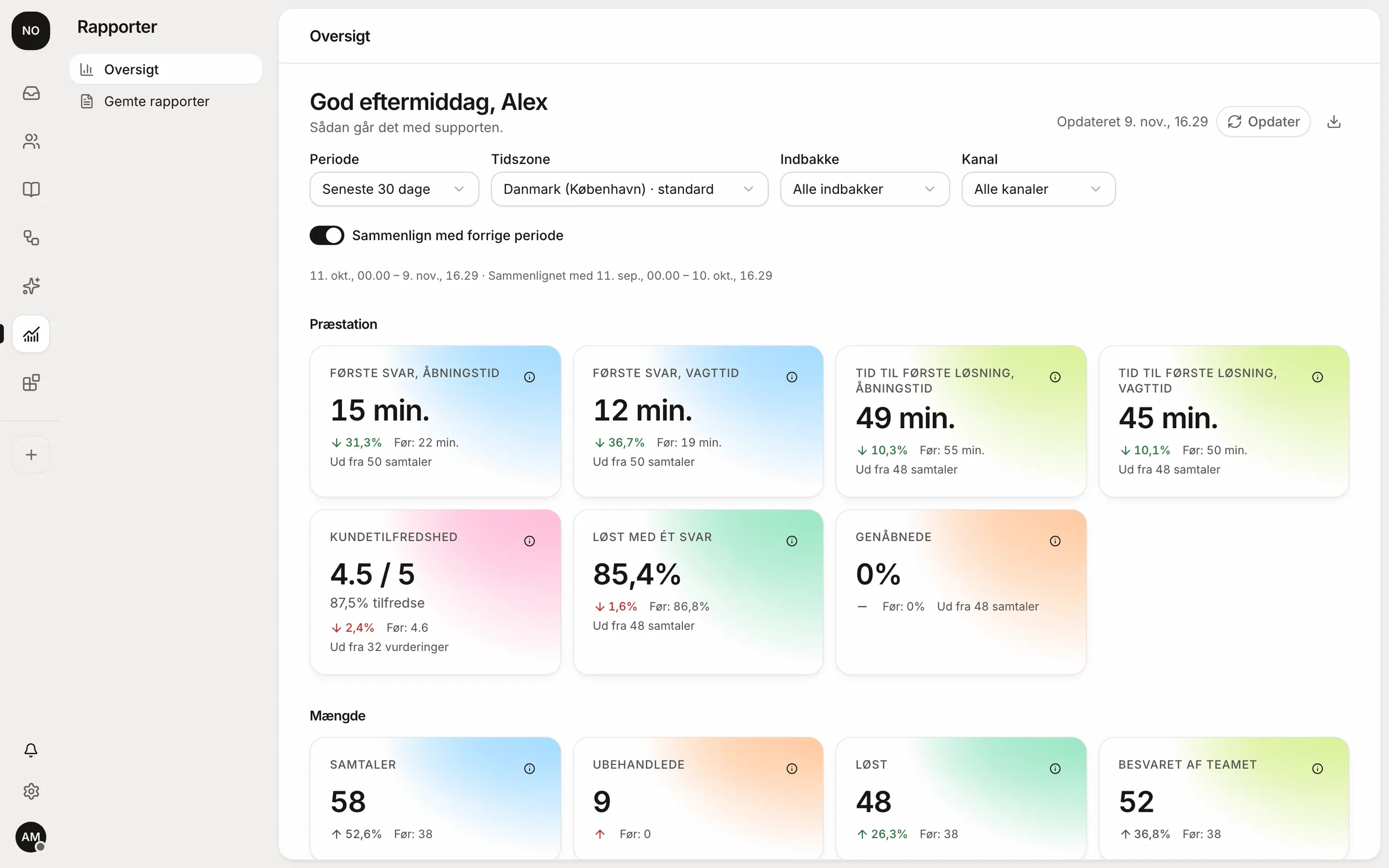
What the numbers mean
Six numbers, explained in one line.
- First reply time
- From the customer writing to someone replying. Counted in business or shift hours.
- Resolution time
- From the first message to the conversation being solved.
- One-touch resolution
- Conversations solved with a single reply.
- Reopened
- Solved conversations where the customer wrote again.
- Satisfaction
- Average from 1 to 5 and share of satisfied customers.
- Volume per channel
- How many write by email, chat and social channels.
Busy hours
See when customers write.
The heatmap shows messages per hour and weekday, so the rota fits the customers. Workload per person shows who has too much.
Sample data
Satisfaction
Ask the customer while it's fresh.
After a solved conversation the customer can give 1 to 5 stars. A low rating can post to Slack, Teams or Mattermost so someone calls back.
 Slack
 Teams
 Mattermost
When management asks.
Save your reports with filters per channel, person and tag, and export to CSV.
respoe-rapport-oktober.csv
Questions and answers
How is satisfaction measured?
When a conversation is solved, the customer can get a short survey on a 1 to 5 scale. The answer sits on the conversation and counts in the reports.
Can we get the numbers out?
Yes. Export to CSV that opens in Excel, Numbers and Google Sheets. Save your own reports with the filters you use.
Can we see what the AI handles?
Yes, per type of message: how many the AI classified, drafted, answered itself or handed over, and whether the customer wrote again within 72 hours.
Are reports in every plan?
Start has basic reports. Team and Pro have all reports and satisfaction surveys.
Try Respoe free with your own inbox for 14 days
Connect your email and webshop, invite the team and answer from Respoe the same day.
- No card needed
- Priced per team, not per seat
- Danish support